
Leonardo.Ai - Image Generator
Leonardo.AiArt & Design
4.61.39K Reviews
- Version
- 2.0.52
- Installs
- 10.00M
- Age Rating
- Teen
Screenshots
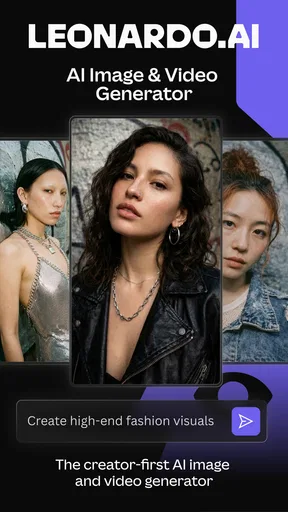
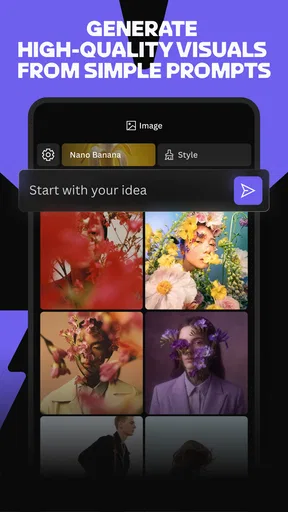
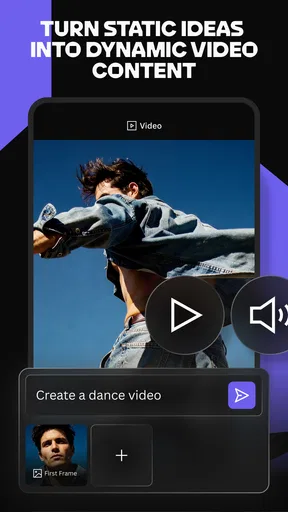
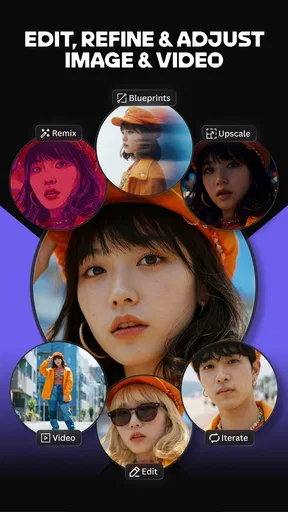
Our Review of Leonardo.Ai - Image Generator
 Analysis by Appyee
I like image generators most when they help me move from a vague idea to something I can actually react to. That is the appeal of Leonardo.Ai - Image Generator: it puts AI-assisted image making in a mobile art and design app, so I can explore a visual direction without first learning a full desktop graphics program. The basic invitation is simple, but the useful question is how to turn that freedom into images that fit a real project rather than a stream of unrelated experiments.
Why turning a prompt into an image matters
For me, the most interesting part of an AI image generator is the fast feedback loop. I describe a subject or mood, look at the result, then decide what I want to change. That makes it useful at the beginning of a creative task, when I may know the feeling I want but not yet have a clear composition in mind. I can use generated images as inspiration, rough concept art, or a visual starting point—not automatically as finished professional artwork.
That distinction matters. A generated image can give me a direction quickly, but it may not match every detail I pictured. If I need exact lettering, consistent characters across a sequence, or precise control over a final layout, I would expect to spend time checking and revising the result. For those jobs, a drawing app or a conventional design editor gives me more direct control. The strongest use is exploration, not assuming the first output is ready to publish.
Leonardo.Ai is made by Leonardo.Ai and sits in the art and design space. It is free to install, with optional in-app purchases; the listed purchase range is from $9.49 to $459.99 per item. That makes it sensible to try the basic creative experience before deciding whether any paid option fits how often I use it. I would treat the purchase range as a reason to check the current in-app choices carefully rather than assuming every tool or workflow is included at no cost.
A practical way to get more useful results
I get better results when I treat a prompt like a compact creative brief. Instead of typing only “a forest,” I would describe the subject, atmosphere, and a few visual priorities: for example, a quiet forest path at dusk, mist between the trees, and a limited palette. The point is not to write a long paragraph. It is to give the generator enough direction to distinguish the image I want from a broad, generic interpretation.
When the first attempt misses, I find it more productive to change one thing at a time. If the mood is right but the scene feels crowded, I would simplify the composition in the next prompt rather than replacing every detail. If the colours work but the subject is wrong, I would keep the useful visual cues and adjust the subject. This makes comparisons clearer and helps me learn which words actually steer the output.
A small personal workflow also keeps experimentation from becoming aimless: I save the strongest results, note the phrasing that led to them, and build from those ideas in a later session. That is especially helpful when I am making a set of related visuals, such as alternate concepts for a poster. Even without expecting perfect consistency, a repeatable prompt structure gives me a better chance of keeping the same overall mood across several attempts.
Where it fits into an ordinary day
Imagine I am putting together a birthday invitation and want a playful, storybook-style background. I could use Leonardo.Ai to explore several visual directions before opening a layout tool to add the event details. That division of labour is the part I find practical: the generator helps me discover an image idea, while a dedicated editor is better for placing readable text, aligning elements, and preparing the finished design.
The same approach works for a hobby project. I might want a moodboard for a room refresh, a fantasy setting for a story, or a thumbnail concept for a video. In each case, generated visuals can help me explain an idea to myself or someone else. I would still inspect the image closely before sharing it, especially if small details, hands, objects, or background elements affect the meaning. A striking overall look does not guarantee that every part is coherent.
This is also where it helps to be clear about what I am asking the app to do. If I need a quick visual reference, a few imperfect variations may be plenty. If I need production artwork with exact brand colours, carefully controlled typography, or repeatable character design, I would use a more hands-on art or design workflow and bring AI output in only as an optional starting point.
Unleashing Your Inner Artist
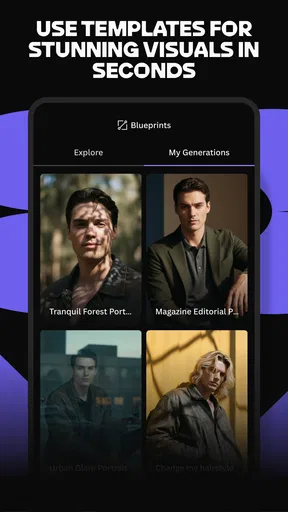
The first thing that struck me about Leonardo.Ai - Image Generator is how ridiculously easy it is to use. I mean, who has time to sit through lengthy tutorials, right? With this app, you dive straight into the creative process. You start by choosing a style or theme that tickles your fancy. Whether it's abstract, landscapes, or even something a bit quirky, there’s something for everyone.
The app's interface is clean and intuitive, which means you won’t get lost in a sea of options. I personally loved the way it guides you through the image creation process step-by-step, making it feel like painting by numbers but with a digital twist. And the best part? You don’t need to know the first thing about art theory to create something amazing.
Features That Spark Creativity
One of the standout features of this app is the sheer variety of styles you can explore. Whether you’re into vibrant colors or subtle monochromes, there’s a palette for every mood. I spent hours experimenting with different filters and effects, and it’s safe to say, I was hooked.
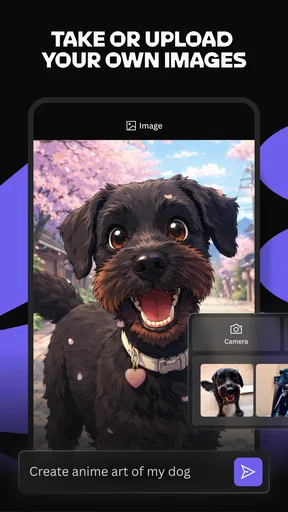
Another nifty feature is the app’s ability to generate images based on your input. You can start with a simple sketch or even upload a photo from your gallery. The app then works its magic, transforming your base image into a masterpiece. It’s like having an art genie granting your visual wishes.
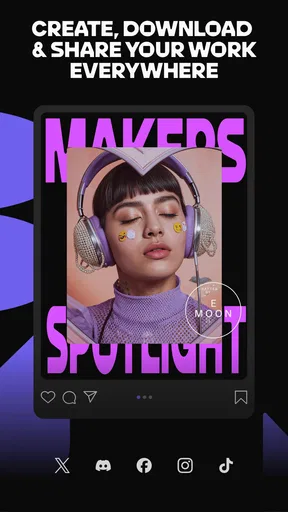
What really blew my mind was the community integration. You can share your creations with other users, browse through an endless gallery of images, and even participate in fun challenges. It feels like being part of a vibrant, creative community, all from the comfort of your smartphone.
Performance and User Experience
Now, let’s talk performance. I tested the app on both Android and iOS, and the experience was seamless. The images rendered quickly, and there were no annoying lags or crashes, which is always a bonus. The developers have clearly put a lot of thought into ensuring the app runs smoothly on various devices.
One thing I appreciated was the app’s responsiveness. It adapts well to different screen sizes, making it equally enjoyable on a tablet or a phone. Plus, the touch controls are precise, allowing for detailed adjustments without any hassle.
Endless Possibilities
As someone who loves to dabble in digital art, I found Leonardo.Ai to be a fantastic tool for exploring new creative avenues. It’s perfect for anyone who wants to unleash their artistic side without getting bogged down by complex software. Whether you’re a seasoned artist or a complete newbie, this app has something to offer.
In the wider field of AI art apps, I see this as a companion to, rather than a replacement for, the usual alternatives. A manual drawing app is the better pick when I want to control every stroke; a template-based design tool is more dependable when the job is a clean flyer with fixed text and spacing. Leonardo.Ai makes more sense when I need to discover an image direction quickly, then take that visual idea elsewhere for finishing. The trade-off is that creative freedom can also mean uncertainty: the same prompt may not deliver the exact composition I imagined.
For someone new to image generation, I would begin with a modest brief and one clear goal. Try a subject and mood, then compare the outputs before adding more detail. For an experienced artist, the value is different: it can act as a quick ideation partner, but it should not be mistaken for a substitute for deliberate composition, retouching, or production checks. In either case, the app is most rewarding when I make decisions about the output instead of accepting every result as final.
There are a few practical questions worth answering before settling into a routine. Is it suitable for a complete beginner? I think so, because the guided creation flow and style exploration make it approachable, though learning to describe an image clearly still takes practice. Can it help with a finished design? It can contribute the image, but I would use a separate editor for precise text, layout, or fine corrections. Is it worth paying for? I would first see whether the free experience meets my needs, then weigh any purchase against how often I create and what options are presented in the app.
It is also not the right choice for everyone. If I want to draw directly with a stylus, control each layer, or reproduce a reference with exact accuracy, a dedicated illustration tool is a better fit. If I only need a basic social graphic, a template editor may be faster and more predictable. And if I find prompt-writing frustrating, the trial-and-adjust rhythm can feel less satisfying than making edits by hand. Knowing that beforehand helps me use this app for what it does best instead of expecting it to solve every visual task.
The app is free, rated for Teen users, and has reached over five million installs. Its average rating is 4.7 from around seventy thousand ratings, which suggests it has found a substantial audience, though popularity alone cannot tell me whether its creative workflow suits my needs. The current version is 2.0.3, and it requires Android 7.0 or later. I would still check the app’s compatibility and purchase options on my device before building a project around it.
Overall, Leonardo.Ai - Image Generator is more than just an app—it’s a gateway to endless creative possibilities. So, if you’re looking to add a splash of color and imagination to your life, give it a whirl. Trust me, you won’t be disappointed.
Privacy and Permissions
See what permissions an app requests and how it handles your data.
- Photos/Media/Files
- read the contents of your USB storage, modify or delete the contents of your USB storage
- Storage
- read the contents of your USB storage, modify or delete the contents of your USB storage
- Other
- view network connections, full network access
Verdict
Strengths of Leonardo.Ai - Image Generator
- Easy-to-use interface for beginners.
- Wide variety of art styles available.
- Fast image generation process.
- Supports high-resolution outputs.
- Regular updates with new features.
Limitations of Leonardo.Ai - Image Generator
- Limited free credits for new users.
- Occasional server downtime issues.
- Requires a stable internet connection.
- In-app purchases can be pricey.
- Some styles lack customization.
Similar Picks in This Category
View All
Canva: AI Photo & Video Editor
Canva4.8

PENUP – Drawing-sharing SNS
Samsung Electronics Co., Ltd.4.5

Crafto
Kutumb App4.6

Sketchbook
Sketchbook4.1

ibis Paint X
ibis inc.4.5

Adobe Express: AI Photo, Video
Adobe4.6
Frequently Asked Questions
What is Leonardo.Ai and how does it work?
Leonardo.Ai is an advanced image generator app that leverages artificial intelligence to create stunning visuals. Users can input specific parameters or themes, and the app's AI algorithms generate unique, high-quality images. It's perfect for artists, designers, and anyone needing creative inspiration or custom graphics.
What platforms is Leonardo.Ai available on?
Leonardo.Ai is available for both Android and iOS devices. You can download it from the Google Play Store or the Apple App Store, ensuring that a wide range of users can access its creative capabilities regardless of their preferred mobile platform.
Is Leonardo.Ai suitable for professional use?
Yes, Leonardo.Ai is designed to cater to both amateur and professional users. Its advanced features and high-quality image outputs make it suitable for professional projects, including marketing, design, and artistic endeavors, allowing users to leverage AI for innovative and efficient creative solutions.
Are there any in-app purchases or subscriptions required?
Leonardo.Ai offers a range of features for free. However, to access premium tools and additional functionalities, users can opt for in-app purchases or subscribe to a monthly plan. This ensures that users have flexibility in choosing the level of access that suits their needs and budgets.
How user-friendly is Leonardo.Ai for beginners?
Leonardo.Ai is designed with an intuitive interface that makes it accessible for beginners. The app provides tutorials and tips to help new users navigate its features easily. Whether you're new to AI image generation or a seasoned pro, you'll find the app accommodating and straightforward to use.
